Scrolling Screenshot in Chrome: Capture Long Pages
Updated · By Snap Entire
A scrolling screenshot joins several views of a long page into one result. The page has to remain stable while those views are captured, which is why moving content and nested panels need special attention.
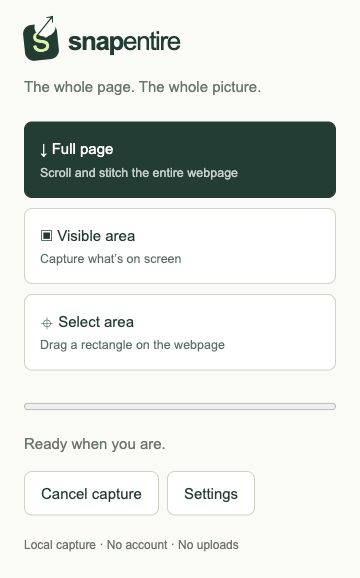
Capture a long page without disturbing it
In Snap Entire, choose Full page and keep the source tab active until the preview opens. Avoid scrolling, resizing, or changing browser zoom mid-capture. To stop, reopen the popup and choose Cancel capture; cancellation is checked between capture tiles.
If images load too late
Scroll through the page before starting, then return to the top. In Settings, choose a longer scroll delay. The optional Wait for content to load before capture setting checks visible images, fonts, loading indicators, and layout stability. It can help with delayed content, but does not guarantee that canvas drawing, background images, or content inside cross-origin frames has finished.
If headers repeat in the screenshot
Snap Entire hides repeated fixed and sticky elements after the first tile by default. You can change this in Settings if it hides something you want to include. Capture a short test first when a page uses floating navigation, chat widgets, or a complex sticky sidebar.
If only one part of the page scrolls
Some document viewers scroll inside a panel while the outer page stays still. Snap Entire attempts to detect a supported main scrolling surface. It does not combine every independent panel, and cross-origin iframes are unsupported. Make the intended panel fully visible; use a simpler page view when detection does not match your needs.
If the page is extremely tall or never ends
The extension measures initial document bounds rather than scrolling forever. Infinite feeds and virtualized lists can therefore be incomplete. Tall results may split into image parts to stay within canvas limits. Review each part, use Download all images for a ZIP, or export all parts together as PDF. A4 PDF page breaks may cut through lines; this is a raster capture, not a reconstruction of the original document.