A GoFullPage Alternative: Is Snap Entire Right for You?
Updated · By Snap Entire
If you are looking for a GoFullPage alternative, start with your workflow: the capture area you need, the output you share, and whether you need to edit the result. Snap Entire focuses on capture, preview, and local export.
When to consider Snap Entire
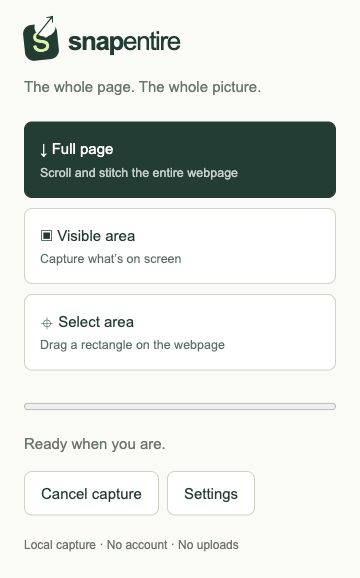
Consider Snap Entire if you want full-page, visible-area, and selected-area capture in one popup, with PNG, JPEG, and A4 PDF exports. Its source also includes a scroll delay setting, repeated sticky-element handling, and optional content-readiness checks. Try it on a representative page before switching a team workflow.
When an editor matters more
Snap Entire currently has no annotation, crop, or redaction editor. Selected-area capture chooses a region before capture; it is not post-capture cropping. GoFullPage advertises editing features through Premium. If you need to mark up results or remove sensitive areas, evaluate that editor or use a separate image editor before sharing.
Local capture does not mean no storage
Snap Entire stores screenshot blobs in IndexedDB in your Chrome profile and preferences in Chrome storage. Its source contains no screenshot-upload service or telemetry. Delete stored captures from the preview, and manage exported files separately. Review each product’s current privacy policy and permissions rather than assuming identical handling.
Compare with the same test page
Use a public page with a sticky header, delayed images, and enough content to scroll. Keep browser size and zoom consistent. Check the top, middle, bottom, text clarity, and export result. This page does not claim a measured speed or quality advantage for either extension.
- Capture the same page in each extension.
- Check your needed export format and page breaks.
- Try the editing task you actually do, such as marking an issue or cropping a region.
- Review current pricing, permissions, and privacy before deciding.
Compare the essentials
| Task | Snap Entire | GoFullPage |
|---|---|---|
| Full-page capture | Scroll and stitch workflow | Full-page capture workflow |
| Export | PNG, JPEG, A4 PDF; multipart image ZIP | PNG, JPG, PDF advertised |
| Editing | No built-in annotation or crop editor | Editing advertised through Premium |
| Try it on complex pages | Check lazy content and scrolling panels | Check documented limitations and your page |
Sources: GoFullPage, Premium features, and FAQ. Features and plans can change. Snap Entire is an independent product and is not affiliated with GoFullPage.